
Hard Disk vs SSD vs External Hard Drive: Which Should You Buy?
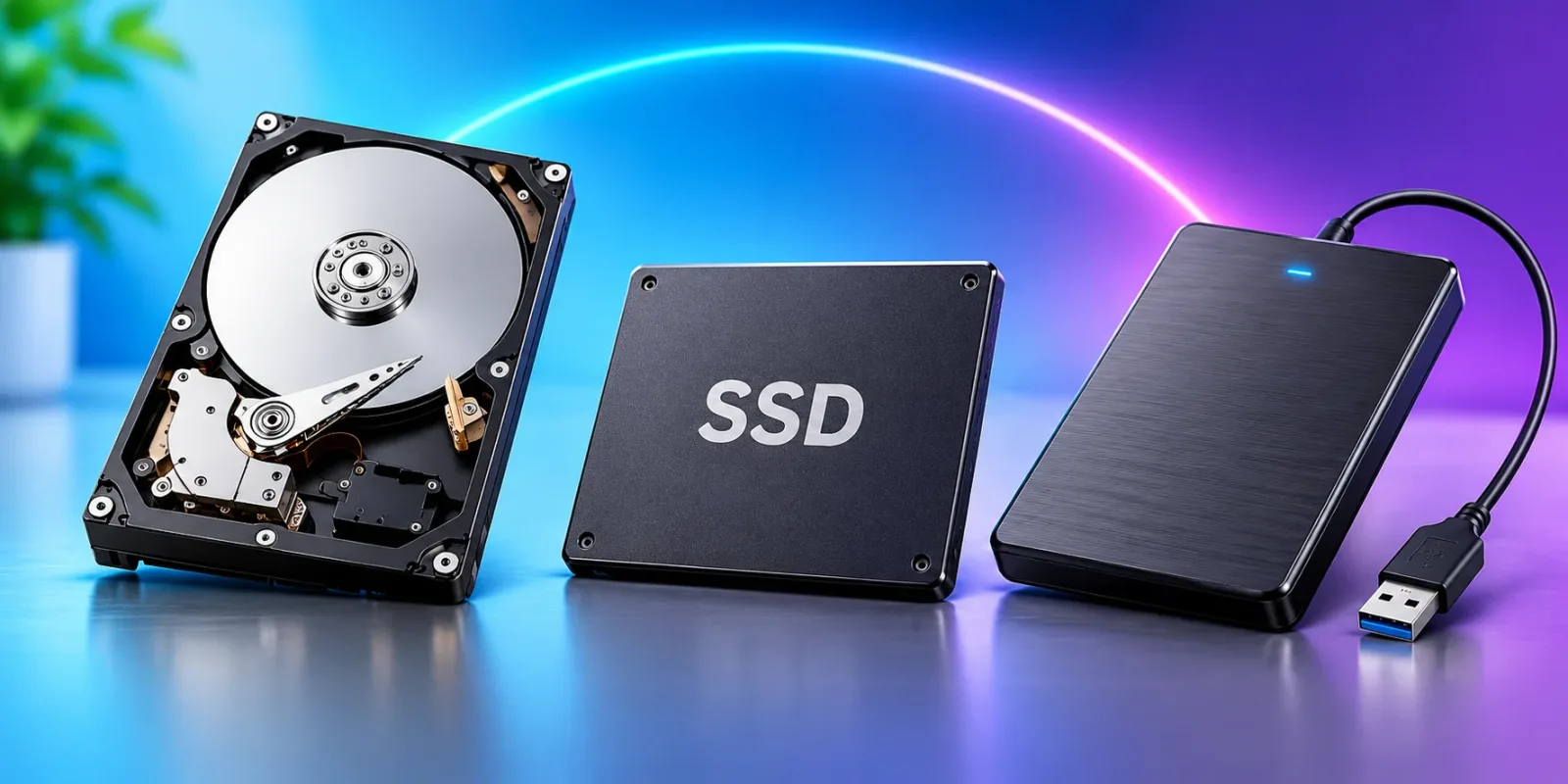
Choose an SSD solid state drive for speed, a hard disk drive (HDD) for low-cost capacity, and an external hard drive for portable backup. An HDD 1TB or 2TB HDD suits bulk storage and CCTV recording, while an SSD suits your system drive. Most people do best using both.
Key Points
- A Hard Disk Drive (HDD) will give you the most storage for your money. So is ideal for storing back-ups, media and CCTV.
- Using a Solid State Drive (SSD) will speed up your boot time and open times of your applications as there are no mechanical parts.
- The 1TB External Hard Drive will be more than enough to store your back-ups but if your files are increasing then a 2TB HDD will give you better value.
- External Hard Disks can take both HDD’s and SSD’s so make sure you know which you have.
- CCTV recorders will require a hard drive that can write constantly 24x7.
What is a Hard Disk Drive (HDD)?
Hard Disk Drives (HDD) store data on spinning magnetic disks. Files can be located and written using a read/write head. HDD’s have a well-established design meaning they are relatively cheap per GB of storage.
A 2TB HDD is much cheaper than a 2TB SSD. This means they are still commonly used in shops, offices and CCTV recorders. However due to the moving parts in the drive it is slower.
How big is a 1TB/2TB hard disk?
A 1TB disk will show approximately 931 GB in windows. Manufacturers consider 1TB as 1,000,000,000,000 bytes. However, windows measures it by binary. This means a 1TB HDD will show roughly 931GB and a 2TB HDD will show approximately 1.8TB. Be aware of this difference when purchasing.
What is an SSD (Solid State Drive)?
Solid State Drives (SSD) use flash memory chips to store data. They have no moving parts meaning upgrading to a hard disk SSD will greatly improve the speed of booting windows and opening applications.
Most HDD’s will read at around 100-160MB/s. A SATA SSD will read at around 500MB/s. An NVMe SSD can be much quicker. For example, if you were to transfer a 10GB video file it would take around 60 seconds to transfer at 160MB/s however only around 20 seconds at 500MB/s. SSD’s are also completely silent and use less power improving laptop battery life.
What is an External Hard Drive?
An external hard drive is a portable storage device. It can be plugged into your computer using a USB connection. Inside there will be either an HDD or SSD. External hard disks can be very large and cheap or small and fast.
A 1TB external hard drive can hold around 250,000 photos. (Assuming each photo is 4MB). Due to the moving parts in a portable HDD it can be damaged if dropped. If you are carrying your drive regularly it would be best to purchase an external SSD.
Which Hard Disk Should You Buy: HDD, SSD, or External?
Buy an SSD for speed, an HDD for capacity, and an external hard drive for backup and portability. The table below compares the options side by side.
| Feature | HDD | SSD | External hard drive |
|---|---|---|---|
| Technology | Spinning platters | Flash memory | HDD or SSD inside a USB case |
| Typical read speed | About 100–160 MB/s | About 500 MB/s and higher | Depends on the drive and USB port |
| Cost per GB | Lowest | Higher | Low (HDD) to high (SSD) |
| Shock resistance | Lower | Higher | Lower (HDD), higher (SSD) |
| Best for | Bulk storage, backups, CCTV | Windows, apps, editing | Backup, carrying files |
Who is it best for?
- SSD – Great for anyone who thinks their computer is running slow.
- HDD – Great for storing videos, backups and CCTV.
- External – Great for creating a backup copy of your files.
Who is it not best for?
- HDD – Not great for laptops that will be carried in a bag throughout the day.
- SSD – Not great for those needing 4TB of storage on a tight budget.
When should I choose an HDD?
If you need lots of storage but at a low cost then HDDs are a great option. A 2TB HDD would be great for storing a movie library, office backups or CCTV. Using a hard disk drive will keep your cost per GB low.
When should I choose an SSD?
If you need fast storage rather than high storage then an SSD is a great option. Using an SSD as your windows drive will greatly reduce your boot up time. Using an External SSD will speed up your video editing.
Is a 1TB External Hard Drive Enough?
Most home users would have enough space on a 1TB External Hard Drive to back up their documents, photos and a few videos. Once formatted you’ll have around 931GB available. This will be more than enough for a students college files, phone photos and some movies.
However, 4K Video and full system backups will fill up a 1TB very quickly. If you’re going to be storing lots of this data then upgrade to an External Hard Drive with a 2TB HDD. It’s also worth having a backup of your important files as all hard drives can fail.
HDD 1TB or 2TB HDD?
A 1TB HDD is great for small backups whereas a 2TB HDD is great for videos, large photo libraries and expanding data. Often doubling the storage won’t double the price so check current prices.
We would recommend using a 2TB HDD for your CCTV in almost all cases. As you can see from our calculator, a 1TB HDD won’t last very long. With 8 x 2MP H.265 Cameras recording 24/7 you’ll only get around 10 days of recording. [Insert one real example from installations]
Best Hard Disk for CCTV?
The best hard disk for CCTV is a Surveillance HDD. These are designed to be written to 24x7. There are 2 common families of these. WD Purple and Seagate SkyHawk. A basic desktop hard drive is not designed to be constantly written to from multiple cameras.
Below is a table showing how many days you can record on each hard drive. This is based on 2MP H.265 Cameras recording 24/7. Around 93% of the drive will be used.
| Cameras (2MP, H.265) | 1 TB | 2 TB | 4 TB |
|---|---|---|---|
| 4 cameras | 21 days | 43 days | 86 days |
| 8 cameras | 10 days | 21 days | 43 days |
Source: our CCTV Storage Calculator – Free HDD Calculator for DVR & NVR, 2026.
An SSD hard disk is a poor fit for CCTV because capacity per rupee matters most. For a starter option, see this Seagate 1TB hard disk for DVR.
[Insert image: your own photo of a surveillance HDD installed in a DVR | Alt text: “Install a surveillance hard disk in a DVR”]
Should I utilise an SSD and HDD?
Most people would get the optimum performance from utilising both types of drives. Have a smaller SSD (250GB-1TB) for your Window and software and use a larger HDD for storing your documents, pictures, videos and games.
For example having a 512GB SSD laptop with a 2TB external hard drive will give you fast performance while giving plenty of storage space. The cost is also less than using a large SSD.
How to Choose the Right Hard Drive
Select the correct type of hard drive based on what you require. Using the list below will help:
- Fast performance for windows and software – SSD drive.
- Large storage – 2TB+ HDD.
- Mobile backup – External drive. If you are travelling use an SSD.
- CCTV – Surveillance rated hard drive.
- Light storage – An HDD of 1TB would normally be sufficient.
FAQ
Is an SSD better than an HDD?
An SSD will be faster, quieter and more shockproof, however it will cost more per GB than an HDD. It is best to have an SSD for your main drive and an HDD for large storage.
Is a 1TB external hard drive sufficient?
This will be sufficient for storing your documents, pictures and light video backups. However if you are using a lot of 4K video then select a 2 TB or larger.
Should I select an external SSD or external hard drive?
If you want fast performance and travelling then an external SSD would be best. If you just want cheap storage then an external hard drive would be fine.
Which lasts longer?
Neither will last forever and both can fail. HDDs will fail due to wear and tear from their moving parts. SSDs will fail due to having a limited number of write cycles. Always make sure you have a backup of your important files.
Can I put an SSD hard drive into my laptop?
Most laptops with a SATA hard drive can take an SSD hard drive. Firstly check the size and type of drive your laptop has. You will need to clone your data or re-install windows.
Can I use an external hard drive for my CCTV?
This depends on the recorder you have. It is more reliable to have an internal surveillance HDD. Check your DVR/NVR manual for compatible drives.