
Biometric Attendance Devices — Complete Buying Guide, Types, Brands & Prices
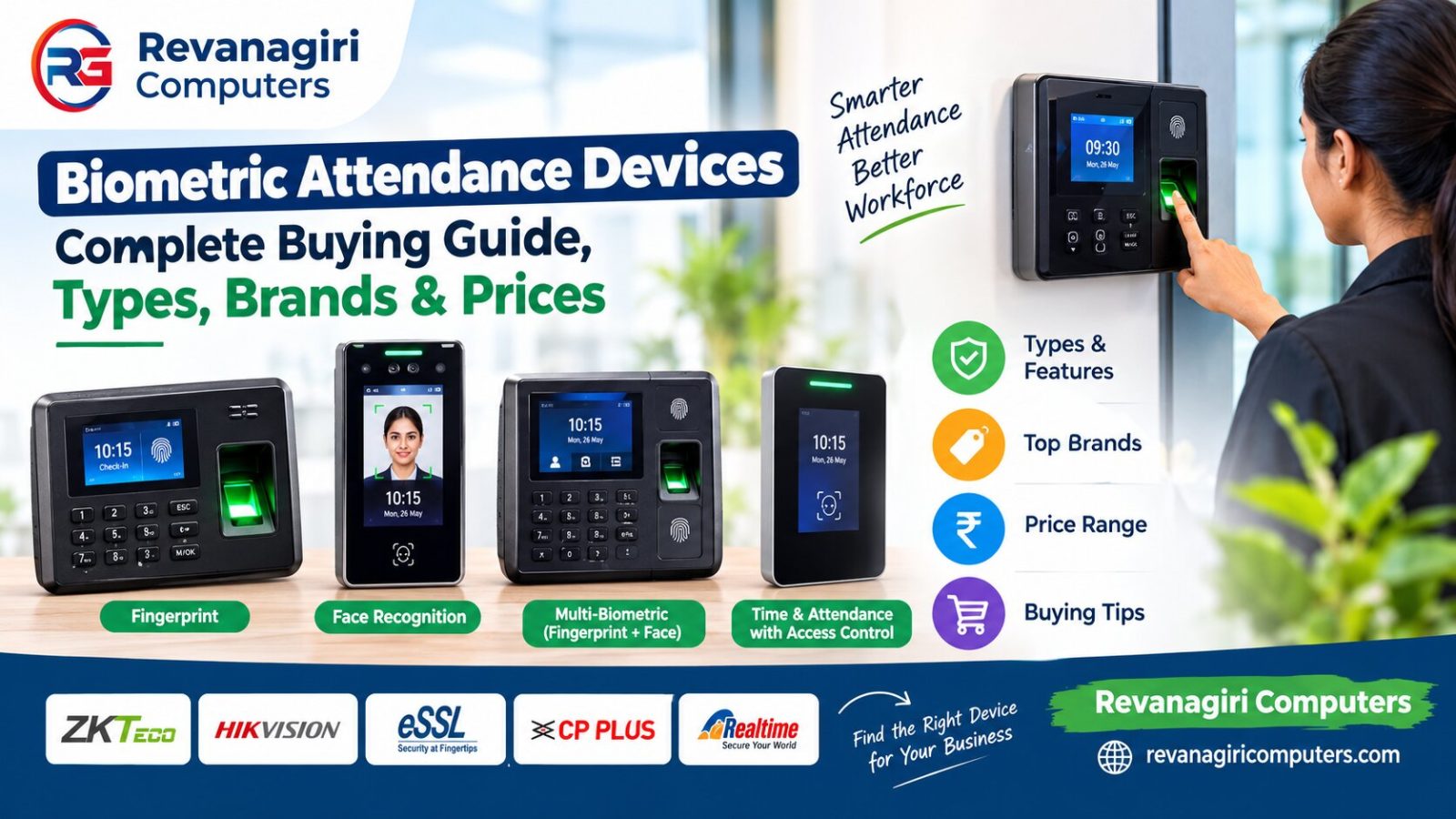
Biometric Attendance Devices — Complete Buying Guide
Biometric attendance devices have become the new normal for keeping track of who came to work, school, the government office or the residential society. They have displaced traditional punch-in-and-out registers and even swipe cards, as they cannot be tampered with, forged or shared between people.
However, the term "biometric device" is quite broad and choosing the right system for specific needs is not always easy. This guide will cover how the various such devices work, what types are available, and how to pick the one best suited for a particular application. Additionally, it sheds light on the major brands (both low and high-end), as well as approximate pricing.
What Is a Biometric Attendance Device?
A biometric attendance device is a type of hardware that reads a person's body detail, such as fingerprint, and facial or iris image, to recognize an individual. This is done instead of using a password, PIN code, or card. The fingerprint reader or camera hardware will compare the imprinted details with the stored information and then confirm the recognition of the person. It can be used to mark attendance or unlock doors.
The main reason why biometric time and attendance systems are more effective than using swipe cards or passwords is that a person cannot borrow or share their fingerprint or image. Biometric hardware is essential for use in recording attendance, registering entry and exit, and allowing access.
How Biometric Devices Actually Work
Most devices follow the same basic process, regardless of brand:
- Enrollment — each person's fingerprint, face, or other biometric marker is scanned once and converted into a digital template (not a photo or image — a mathematical representation of key features) and stored in the device or a connected system.
- Matching — every time the person uses the device afterward, their live scan is compared against the stored template. If it matches within an accepted tolerance, access or attendance is recorded.
- Logging — the device timestamps the event and stores it locally, and in most modern devices, also sends it to a connected software or cloud dashboard automatically.
- Reporting — attendance software then compiles this raw data into daily, weekly, or monthly reports — hours worked, late arrivals, early departures, and absences — that HR or management can review.
The accuracy and speed of this matching process is where devices differ significantly. Cheaper devices tend to have slower processors and less refined matching algorithms, leading to more false rejections (a valid fingerprint not being recognized) — which is one of the most common complaints with budget devices.
Types of Biometric Devices
Fingerprint Scanners
The most common and inexpensive variant. The sensor reads the ridge and furrow pattern of a fingertip and encodes it into a particular template. Modern optical and capacitive sensors typically have a comparatively quick scanning time (under a second) and are usually accurate despite the likelihood of light smudging or moisture of the finger; however, heavy manual work, abrasions, or heavily worn fingerprints could lead to occasional malfunctions of the recognition algorithm.
Best for: office buildings and places that prioritize a touchless experience, busy entrances, places where cleanliness is a concern
Best for: office buildings and locations prioritizing a touchless experience, heavily trafficked entrances, and applications where cleanliness is a concern
Iris Recognition Devices
Iris recognition devices scan the complex pattern in a person's eyes in order to identify them, offering exceptionally high accuracy, even over facial recognition or fingerprint scans. However, it comes at a significantly higher price point and is often reserved for more secured data centers, military bases, or vaults at banks. Not typically employed for everyday office access control.
Best for: office buildings and locations prioritizing a touchless experience, high-traffic entrances, and applications where cleanliness is a concern
Iris scanners can provide the highest accuracy among all options, due to the unique patterns in one's eyes. This, however, comes at a cost, and these devices are usually found only in high places of safety, such as government facilities, or banks' vaults, due to the immense expense.
Best for: high places of safety, where money is not the main concern.
Multi-Modal Devices (Fingerprint+Face or Fingerprint+Card)
Finally, there are multi-modal devices, which combine any two methods into one, for either added security (requiring two separate biometric identifiers) or convenience (two separate ways of identification). For instance, one may have difficulty in pressing a thumb to a sensor if it is injured, but a swipe could be possible instead. These are also making their way into mid-range and up-market smartphones.
RFID Card + Biometric Hybrid Systems
Some implementations put the RFID card as a primary technology and use biometrics as a backup or for more secure checkpoints. It could be explained by the fact that in some big factories, hundreds of workers need to be registered, and it would take too much time to scan each of their fingerprints.
Biometric Devices for RD Service (Aadhaar-Based Applications)
In India specifically, a separate category of biometric device exists for RD Service (Registered Device) compliant fingerprint scanners — used for Aadhaar-based authentication in banking correspondent work, government scheme enrollments, SIM card issuance, and similar applications requiring UIDAI-certified hardware. These are different from standard attendance scanners: they need to be STQC-certified and RD-service compliant to legally perform Aadhaar authentication.
If you're buying a scanner specifically for this purpose (rather than general office attendance), always confirm the device is RD Service certified before purchasing — a standard attendance fingerprint scanner will not work for Aadhaar-based authentication.
Choosing the Right Biometric Device for Your Situation
Small office (5–30 people)
A basic fingerprint attendance device with local storage and USB/Ethernet connectivity is usually sufficient. No need for cloud-based systems or high user capacity at this scale.Medium office or retail chain (30–150 people, possibly multiple locations)
A device with cloud connectivity (so attendance data syncs automatically across branches) and higher user storage capacity becomes worthwhile. Face recognition is also popular at this scale for the touchless convenience.Factory or large facility (150+ employees)
Speed matters most here — you need a device that can process a high volume of people in a short window (shift start/end times). Multi-modal devices or a mix of fingerprint stations at different entry points work well to avoid queues.Schools and colleges
Face recognition technology has gained popularity in schools because it eliminates hundreds of children touching the same sensor every day and some devices offer parent SMS/app notification when a student checks in or out.Apartments and gated communities
Devices with visitor management features (temporary access codes, visitor photo capture) in addition to resident biometric access work best, since these locations need to manage both regular residents and one-time visitors.Banking correspondents / Aadhaar-based services
RD Service certified fingerprint scanners are mandatory — a regular attendance device cannot be used here regardless of price or brand reputation.Comparing the Best Biometric Device Brands
Mantra
One of India's most widely used biometric brands, particularly strong in the RD Service / Aadhaar-compliant scanner category. The Mantra MFS100 and MFS110 series are extremely popular for banking correspondent and government application use, known for reliable STQC certification and consistent performance. Mantra also makes standard attendance devices, though they're best known specifically for the RD-service segment.eSSL
An established brand that provides attendance and access control devices. The company offers a wide range of products from basic finger scanners to face recognition systems. This brand is popular among Indian customers due to its affordable prices and excellent service network which ensures easy availability of spares and support.ZKTeco
An international company that provides fingerprint, face recognition, and multimodal biometric devices. The products are considered to be among the best in the industry and have a strong presence around the globe. These devices are used in offices, factories, and government institutions worldwide. They offer high quality and reliable products with a good software platform but at a higher price compared to many Indian brands.Realtime
A popular mid-range Indian brand offering solid fingerprint and face recognition attendance devices at competitive prices, commonly used by small and medium businesses.Hikvision & Dahua (Biometric Access Control Lines)
Both known primarily for CCTV, these brands also produce reliable face recognition and fingerprint access control terminals, often chosen by businesses that already use their CCTV systems, for easier integration.Common Mistakes When Buying a Biometric Device
- Buying a standard attendance scanner for Aadhaar/RD service work — these are not interchangeable; using the wrong type will simply not work for government-compliant applications
- Ignoring user capacity limits — cheaper devices often support only 500–1,000 fingerprint templates; a growing business can quickly outgrow this
- Not checking software/cloud compatibility — some devices only offer local storage with no remote reporting, which becomes a problem for multi-location businesses
- Choosing based on price alone — a very cheap device often means slower matching speed and more false rejections, which frustrates employees and slows down actual attendance marking
- Overlooking after-sales support — biometric devices need occasional troubleshooting (software updates, sensor cleaning, template re-enrollment); buying from a source with no ongoing support leaves you stuck if something goes wrong
Installation and Setup Process
- Requirement assessment — number of users, use case (attendance vs. RD service vs. access control), and site layout
- Device selection — matched to budget, user count, and specific application
- Physical installation — mounting the device at the entry point or workstation, with power and network connectivity set up
- Enrollment — registering each person's fingerprint or face into the system
- Software configuration — connecting the device to attendance/HR software, setting up reporting and notifications
- Testing and handover — confirming the system works reliably before staff begin using it daily
- Ongoing support — periodic maintenance, software updates, and troubleshooting as needed
Popular Biometric Devices Available
Mantra MFS110 L1 — Biometric Fingerprint USB Scanner (RD Service, C-Type OTG) — ₹3,499 (was ₹4,500, 22% off)
An RD Service certified fingerprint scanner, ideal for Aadhaar-based authentication, banking correspondent work, and government scheme enrollment applications. Compact, USB-powered, and compatible with C-Type OTG devices.
Frequently Asked Questions
What is the difference between a fingerprint scanner and an RD Service biometric device?
A standard fingerprint scanner is designed for attendance and access control only. An RD Service (Registered Device) scanner is UIDAI/STQC certified specifically for Aadhaar-based authentication — used for banking correspondent services, SIM issuance, and government scheme enrollments. They are not interchangeable.
Which biometric device is the most suitable for small offices?
The most suitable option for small offices with less than 30 employees is a basic fingerprint attendance device with built-in storage devices. It is the cheapest and simplest technology to install and operate as it does not require any cloud-based services.
Is face recognition better than fingerprint?
Both are accurate, but fingerprint scanning is more reliable than facial recognition. The latter is more convenient to use, especially in high traffic and less predictable indoor lighting, but face appearance or light changes cause more errors.
Is it possible to see the biometric data remotely?
In most cases, yes, as modern biometric devices allow for storing information on cloud servers or provide software for remote data access and management. This feature is essential for multi-location businesses that need to monitor or manage each location's attendance from a central office.
How many persons can be registered in one biometric device?
It depends on the particular hardware, but most entry-level machines only allow for storing up to 1000 persons' data. More substantial and expensive devices process thousands of faces and fingerprints per device.
Can the attendance system work during a power outage?
Most of the devices have a built in battery which means that they need to be charged before being used. As such, it is best to invest in an uninterruptible power supply or inverter if there is a need to ensure the continuous operation of an attendance system in the event of an extended power outage.
What if my fingerprint is not read?
In most cases, there is an option to scan your print again or use a different finger in case of a false absence. Thus, people with dry or injured skin can use another finger or the corresponding PIN/card to clock in/out.
How long does it take to install and set up the device?
Depending on the number of devices and locations, the installation process takes 1 day for small businesses and up to several days for larger companies.
Visit Us or Call
Jawali Complex, Super Market, Kalaburagi – 585101
📞 Call 9535059254 for biometric device pricing and installation, or visit our Contact page to book a free consultation.
For more details and current models, visit: https://revanagiricomputers.com